Tuesday, February 27, 2007

published!

I got an email from "Health and Lifestyle" magazine. I think it is Canadian.
They want to use one of my images from SXC. The free one. :)
But the circulation is 1.6 million. Pretty cool huh!
Here is the image they are going to use in an article called "Rest for the Weary."
I'm stoked even if I am not getting paid for it. I've asked them to send me a couple of copies of the magazine.

Saturday, February 24, 2007

Headshots

Hi,

And here are some of the headshots. This was a really fun shoot. Constance was nervous but she did such a great job! She is after really traditional headshots and is looking for an agent and I can't imagine her not getting one with these. We had a great time and after it was over she even admitted that she had fun! YEAH!!


Let me know what you think!

More wedding pics!

Here are a few more wedding pics I promised. She was such a beautiful bride. And I know their marriage is going to be blessed.


Friday, February 23, 2007

I'm back!

It feels like a long time since my last post. Sorry girls, I've been busy wrestling with life and its sometimes consuming distractions. Sometimes distractions are nice and they break us out of our routine. But I'm back now! And I promise to get more wedding pics up soon. I have a shoot on Saturday that I'm looking forward to. An actress friend of mine that some of you might recognize from the show "24". ;-)

Tuesday, February 13, 2007

Wedding Bells

Here are some photos from my recent wedding. I was the 2nd shooter meaning I did the close ups and angled shots.
Here are a few of my favorites. Hope you like them. I don't normally do weddings but this was for a dear friend. Isn't she beautiful?


Saturday, January 27, 2007

the joys of pregnancy


Here are a couple of shots I took last night.
I learned a lot and it makes me want real studio lights even more. I had a rough time with a flash that was too unpredictable for my liking.
White lightnings here I come.

Sunday, January 14, 2007

lighting

I took some time last night to play around with lighting. I have a job coming up and the subject wants a studio look with black and white pics. They will be pregnancy shots and is looking for something very dramatic. So I went to town trying different things. I took my extended flash off my camera and set it up and to the left of the subject also a little behind the subject. Then I used the flash on my camera as a second flash but set it to a lower power. I had to adjust several times and did a little bit of tweaking in photoshop but finally liked the result. As you can see from my subject...he was posing only because I promised he that he just had to sit there and could sit however he wanted. :) He was tired.
Extended flashes are awesome tools. I encourage you to play with yours. I can help anyone who has a Nikon to get their flash to work off the camera. Don't know how to work the Canons though sorry girls.

Saturday, January 13, 2007

Actions

I have to give credit to Rowena...I didn't even know what actions were a month ago other than something I could create. I didn't know they were available for purchase. Apparently a lot of people use them. I am actually thinking about marketing my own actions as I have not had to rely on them in the past. When I first started working in Photoshop I think it was version 5. I was soooo bad. I had no idea what all the tools were for or how to manipulate them. It seemed way too complicated to me. But I was forced to use it for work and so as I experimented and played with the program I learned. Photoshop has become my instrument even as much as my camera. It is truly my darkroom. But despite this I am going to investigate actions. And see if it can save me time or gain me better effects.

But enough about me...there are ACTIONS people!!! So all you ladies out there who have not had to endure learning photoshop...there are these things you can purchase and some are free to download. They achieve a basic effect on your photos. Soft focus, romantic, soft vignette, crisp black and white etc. There are many to choose from...and believe me, I am planning on coming out with my own!!! So look out girls.
In the meantime here are a few links to browse.

http://www.atncentral.com

http://www.liknes.no/photoshop/index.asp

http://www.panosfx.com/index.php?option=com_content&task=category§ionid=4&id=13&Itemid=27


have fun looking around this weekend.

But also remember if I can learn it you can too! And don't pay for anything that you can learn yourself!

On a side note. I just have been reflecting on God's word today in Galatians 5.

22But the fruit of the Spirit is love, joy, peace, patience, kindness, goodness, faithfulness, 23gentleness and self-control. Against such things there is no law. 24Those who belong to Christ Jesus have crucified the sinful nature with its passions and desires. 25Since we live by the Spirit, let us keep in step with the Spirit.

Praise God for His Spirit!! I know everyday life gets challenging girls. But thank God we don't have to do it on our own.

Saturday, January 6, 2007

Happy New Year

Happy New Year Everyone!

We went on a trip up the coast to visit good friends. My son took this picture of me when the sun was going down on the side of the road at a pit stop! Pretty good huh! He's my budding photographer!


I'll try to upload more later but to be honest I really didn't take that many pics. I ate and ice skated and ate and ate some more. More tips and tricks coming soon. I promise!

Sunday, December 17, 2006

The Beauty of Photoshop

I know some of you don't have photoshop...but most of you have elements. And I just wanted to show how you can take an okay photo and make it "pop". I thought I'd show a couple of examples. The first on is of you know who. First photo is untouched straight out of the camera. The second photo has some photoshop work done to make her eyes pop. One reason I did this is because her eyes were darker than normal because of the lighting. But another reason is because I knew it would take the photo to another level. Not sure you can get the full effect because they were subtle changes. But believe me, they make all the difference.


Here are two more images from the shoot. The first one, something happened with the color because of his shirt - the white balance was off. But luckily I shot it in raw and was able to adjust the "temperature" or white balance of the photo. And a few other little things. Here is the result.


Specficially, I adjusted the temperature, contrast, exposure and saturation. Just a tad for each. It really warmed up the image and made it acceptable.

So how are you guys doing on your Christmas card and lighting challenges? Keep taking pictures! And remember to send me your best results!

Thursday, December 14, 2006

The importance of good lighting

After you master framing your subject in a portrait to enhance their looks and features...which most of you guys do well already...lets face it, that's way you want to be a photographer cause you have a "great eye." the second thing that takes your photos to the next level is lighting. I have struggled with lighting as much as anybody and have learned a few things. Please PLEASE comment and share the things you have learned about lighting too...or post a question about lighting by replying to this post. And we can have a discussion about truly one of the most important techniques. Now the topic is so broad I will definitely not be covering it here. But for the sake of brevity and the fact that we are all busy and its Christmas time...here are a few tips.

TIP #1 Natural Lighting

Finding good natural lighting can be tricky but it is your new best friend. For most of us, we don't have professional lighting systems other than the flash on our cameras or possible an external flash. So How do you find good natural lighting?

- When you are outdoors - Wait for the sun to start getting soft in the afternoon. Do not position your subject facing the sun, instead position them to the side or behind the sun and use your flash to balance the light.
- When you are indoors - just about any time of day is okay to take photos as long as you have nice "indirect" light coming from a window. You might still need your flash but if you have an external flash position it toward the ceiling or a wall to bounce the light back onto your subject. That way the lighting will be much softer.
- Learn lighting patterns. This link shows the major one in a very simple way.

www.timesphotojournal.com/Feb2006/tutor.html

You can use the window as your light source and practice using these different patterns.

TIP #2 Accessories That Can Help

- Get a set of reflectors. They are inexpensive and really help out when the lighting is not cooperating. Most sets come with black that absorbs light, white that reflects a bit of light, a silver reflector that bounces white light and a bronze reflector that bounces golden light. They also have a diffuser which is like using a lamp shade. It takes away all the harsh shadows and hot spots you can get sometimes from the sun. Now the only trick is that most reflector sets are not big enough to use on full length shots or groups. And they usually don't operate by themselves. You need an assistant to adjust them as you move the subject and as the sun moves. I've used them very successfully though and recommend them highly.

- Get a large white umbrella. This acts just like the diffuser that comes in the set I just discussed. Now I have one that is regular umbrella size but an instructor I had used one that was the size of an umbrella you would use for a table. And it was heavy! But it rocked! And WAS large enough for full length shots and groups. Catch here, is it was expensive and hard to find. I would buy one if I could find one. She got hers at a trade show.

- Get an extended flash. Now it is an investment but one worth making. An extended flash allows you to take awesome indoor/poorly lit photos. As long as you have a ceiling or wall to bounce off you get a beautiful diffused light instead of the harsh flash look you get when using the flash on the camera. Also, if you are lucky enough to have a Nikon :) (perhaps Canons do this too...someone needs to let us know if they know) You can with many camera models (check your manuals) use the extended flash off your camera...across the room and trigger it to go off just like studio lighting. Now it is no where near powerful enough to use solely for studio lighting but it allows you to create some pretty cool lighting effect without the cost of $1000's of dollars. I own the SB800 and I treasure it. Here are a few pics I took using the flash off the camera.


And the cool thing is you can combine all this stuff! You can combine the window with the flash with the reflectors to get amazing shots.
Using whatever you have...PRACTICE! Send me the photos and I will post them for others to see!

Can't wait to hear from you...be sure to comment and give us your tips too or post a question.

Tuesday, December 5, 2006

Look what you have done!

LOOK at what you have done! My mom has said that a time or two to me in my life. And usually it meant something bad. But this time it means something good! I challenged you all to take your families out and take some Christmas card pictures for yourself. And I have a few samples to show you.

Kim Goodwin took her family out to the beach.

She had a friend help her with the photography but we can learn alot from what she was able to accomplish.


1. She and her family were dressed perfect for beach pictures. Anytime you go to take photos that are meant to be of portrait quality you have to think about what you will wear. Ideal clothes are solid color, scooped neck for women and 3/4 length sleeves. The scoop neck give you a nice long neck and the 3/4 sleeves hides our upper arms that most woman don't like to see in a picture.

2. The light was harsh in this picture and sometimes that is impossible to avoid. But if you can avoid it take pictures about one hour before sunset. The light is softer then. If you can't avoid it get a large white umbrella and an assistant. It works like a lampshade softening the light. Also use your flash. Even if you don't have a fancy flash. It will help balance the light that is so bright behind them so your faces aren't as dark.

Doesn't she have a cute family!

GOOD JOB KIM! Keep taking pictures. She is using a Nikon D70.

Mariann also has taken some pics!

1. This one is very pretty! It has captured great facial expression and emotion. The flower is lovely. Knowing when to capture the image is a huge gift! And Mariann's photo does a great job with that.
2. The light on this photo could be better. Luckily for Marianne Photoshop can help. The photo is a little too dark. So what you can do it lighten it up a bit and add just a touch of warmth. This can be done a number of different ways. Play around with LEVELS adjustments as well as BRIGHTNESS/CONTRAST. If you have the ability to adjust the white balance that is where you can warm it up a bit. In Photoship CS2 it is in ADJUSTMENTS>PHOTO FILTER or if you have done your shoot in RAW you can use the plug in to adjust the "TEMPERATURE" of the photo.
Here is the photo again after a little manipulation.
Mariann is using a Nikon D70 also.


GOOD JOB GUYS!

Monday, November 27, 2006

You can do it!

Here is a challenge. Take your kids and or family out for a Christmas pic for your Christmas cards! If you have kids you have a dream come true for photographers. Models that can't say no! Yes, they can be unruly at times but that's okay it will get you primed for your first shoot with someone else's kids which take it from me IS HARDER.

I have done some of my favorite experimenting for our holiday pics in the last three years (which is how long I've had my digital).

This is 2002

This was actually before digital for me. It was taken with my Nikon N50. And then scanned into the computer. This was the beginning of photo manipulation girls.
While it is an okay photo there is no life in their eyes and the shadows are way too heavy. But it was fun!

I must have had a bad year in 2003 - but this is 2004
This was me practicing with a sheet that was backlit by the sun.
I wanted the background completely blown out but what I had trouble with is that the background was so bright that I had to adjust for it to get the kids correctly exposed which led to a slower shutter speed and a blurry result. But hey - once again I had fun!!

In 2005 I got serious and took some shots that I had and did a little designing using Photoshop. This year I think turned out a lot better but I think Grace's picture is still blown out a bit. I was starting to learn more about photography and take it more seriously this year.

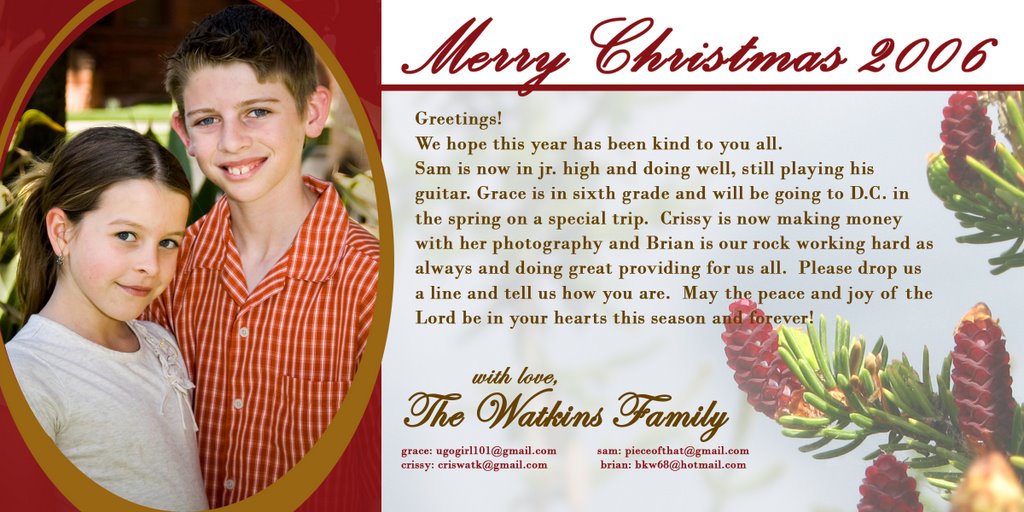
And this year 2006. I tried something a little different. I took it one step further and created my own card. I also offered this card as a template to my customers complete with a portion of the card set aside for a greeting.


So there you have it! Try your own. And Above all...Have fun with your kids and have a Merry Christmas.

Friday, November 17, 2006

Posting your pictures for sale online!

Here is some encouragement for you! I just received my first payment from www.stockxpert.com. I have about 141 pictures or so online. They sit there everyday and I can upload more at anytime for free. It is a micropayment site like www.istock.com but the payouts are better. The photographer gets 50% of the cost of the download. It is called micropayment because each download for the buyer is very inexpensive. Average payout for one download is .50. But it adds up. Especially if you can get a lot of pictures up. Designers use these sites to create websites, brochures for companies, ads, posters to hang in storefronts...you name it.

The way I look at it...I get money for doing nothing. The pictures are there, people download them and when I get a balance that is high enough. I receive a check in the mail.
YIPEE. Today's check was $104. You can do this too! It is a great way to make a little extra money.

This is my top money making picture: it is my friends dog Belle when she was a puppy.


I took the picture in a family room with my external flash pointed at the ceiling. The dog was sitting on someone's lap who was wearing a solid dark grey shirt that I blurred out using photoshop... :) Neat little trick.

more later! Keep taking pictures!

Tuesday, November 14, 2006

Welcome and introductions!

HI!

Here we go! Want to learn more about becoming a professional photographer but don't know now to get started? Just want to become a BETTER photographer in the digital age? This blog is for you!

First let me say that I'm no expert but... I've been at it pretty seriously now for about three years and I've learned a great deal.

I think there are probably a lot of other mom's out there like me who just can't stop taking pictures of their kids. And they want to get a better camera (which is a lot easier nowadays) and once they do, and its digital, they realize that being good at camera stuff is only half of it. Well, maybe its more than half...but a significant portion of being a good "digital" photographer is knowing how to deal with that computer that perhaps you only used for email before!!

So my blog will be full of Photoshop tips as well as things I've learned as I began my journey as a professional photographer. Hopefully it will be informative, and entertaining to read. Dawn Malone inspired me to start this blog. As did Marianne and Brandi...they are my friends and budding photographers who also happen to be moms. We all happen to be Christian's too and that bond is something I cherish with them all.

So here's to raw talent!

TIP #1:

If you have Photoshop Elements or better - LEARN TO USE IT. There is a website called www.lynda.com this site has a number of great tutorials some on all the various Adobe products. There is a small fee to watch all of the tutorials but some you can watch for free. There are other sites too out there that help you learn the basics. If you have the disk that came with your program go through the tutorial they have. Also on www.adobe.com there is a section on the site that helps users with questions they have. Photoshop is to photography like Grey's Anatomy is to medicine. Its the authority. Adobe is coming out with a new program call Lightroom (instead of darkroom, get it?) very soon and currently you can sign up to download the BETA (testing) version for FREE! It will be a pricey program when it is complete but for now you can use it for free! And it is powerful. Some are saying that it might replace photoshop for some photographers. I don't think it will for me...but I will never say never!

TIP #2:

If you have a new camera that you don't know how to use. READ THE MANUAL. I know it probably has crossed your mind but you just want to play! It will help if you have your camera in hand while you read it and mess around with all the settings, take pictures (its digital...GO AHEAD! it won't cost anything). After you get familiar with the features play around with some of them casually. Don't put a lot of pressure on yourself. Give yourself a little due date and then go for it and take a bunch of pictures, take notes if you are really into it and then spend some time looking at them on a computer monitor. You will learn a lot and you won't want to pay anybody for them. If you know a photographer show them your pics and ask for a critique. It is the BEST way to learn! HANDS DOWN.

TIP #3:

Start publishing your photos. You say what??? Is she serious?? YES! I know you have the "Favorite pic". There is a website called www.sxc.hu it is a free site to join and a free site to use to upload photos. It is a real stock photo site and thousands and thousand of people come to this site in need of photos everyday. Designers that have jobs that don't have big budgets...a lot of churches, small time stuff mostly. But at this site you will gain a wealth of experience and knowledge. You will learn how to take rejections. They will reject your photo if it isn't clear and crisp and if the subject is not "stock worthy" I promise more on that later...I will do a whole blog on what "stock worthy means". Also you will learn what it feels like for someone to WANT your picture to use. I'm telling you, my photos have been used around the world. Did I mention it is free to use...well that is for both the uploader and the downloader. So the designers do not pay for your photos. But to me that is the beauty of it. I will talk a lot more about sxc in later blogs. But for now...check it out and set up an account and upload a pic and see if it gets accepted!!!

OKAY enough tips for one night. My fingers are tired. GIRLS - here's to you! More blogs to come I promise. Bookmark the site and check back for more postings. God Bless You!

C. Watkins